Introduction
Large or high-resolution CT datasets can place significant demands on system resources. The free MyVGL Viewer includes visualization controls that allow users to reduce rendering demands and improve performance—without altering the underlying data.
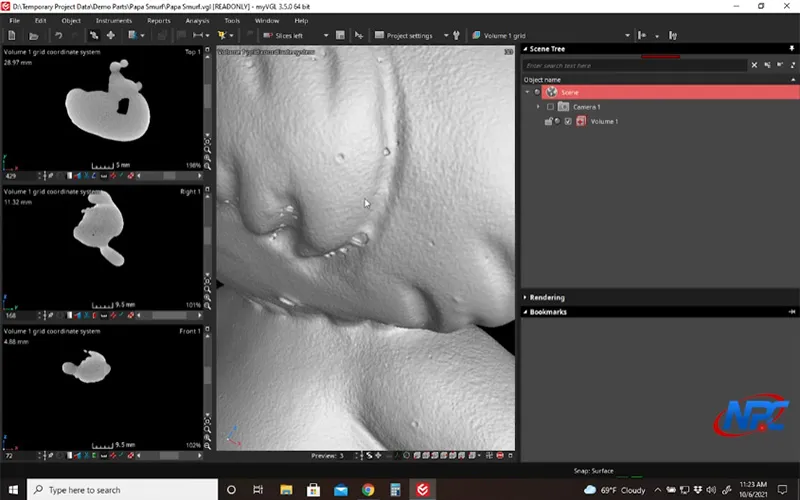
This page explains what rendering demand means and when adjustments are helpful. The accompanying video demonstrates how to reduce rendering load inside the Viewer while maintaining useful visual context.
What “Rendering Demand” Means
Rendering demand refers to the amount of computational effort required to display a CT dataset in real time.
Factors that influence demand include:
- Dataset resolution
- Rendering mode
- Transparency and color settings
- Viewport interaction, such as rotation or clipping
Reducing demand helps ensure smoother interaction, especially on systems with limited graphics resources.
Why Reducing Rendering Demand Matters
Lowering rendering demand can:
- Improve responsiveness during rotation and zooming
- Reduce lag or stuttering in dense datasets
- Make inspection sessions more efficient and comfortable
This is particularly important when reviewing large scans or sharing screens during collaborative discussions.
What Can Be Adjusted in the Viewer
The MyVGL Viewer allows users to reduce rendering load through non-destructive visualization adjustments.
These adjustments may affect:
- How much data is actively rendered
- How frequently the view updates during interaction
- How much visual detail is displayed at once
The video shows how these controls behave in real time and how to balance performance with visibility.
Performance vs. Visual Detail
Reducing rendering demand involves trade-offs between performance and visual detail.
The goal is not to remove critical information, but to:
- Maintain clarity where it matters most
- Reduce unnecessary visual overhead
- Enable smoother interaction
The video demonstrates how to refine these settings incrementally to find the right balance.
What Reducing Demand Does Not Do
Reducing rendering demand does not:
- Modify voxel data
- Change scan resolution
- Perform data compression or analysis
All changes are reversible and affect visualization only.
Why Watch the Video
Performance optimization is highly visual and system-dependent. The video shows:
- Where performance-related controls are located
- How changes affect responsiveness immediately
- How to recognize when adjustments are helping
These nuances are difficult to communicate effectively without seeing them applied live.
Conclusion
Reducing rendering demands in the free MyVGL Viewer helps users work more comfortably with large or complex CT datasets. By adjusting visualization settings, performance can be improved without compromising the integrity of the data.
Watch the full tutorial video above to see how performance-related adjustments are applied and how to maintain clarity while improving responsiveness.
Watch Full TutorialFor more MyVGL Viewer tutorials and CT visualization resources, visit:
https://www.nelpretech.com/myvgl-tutorials