Introduction
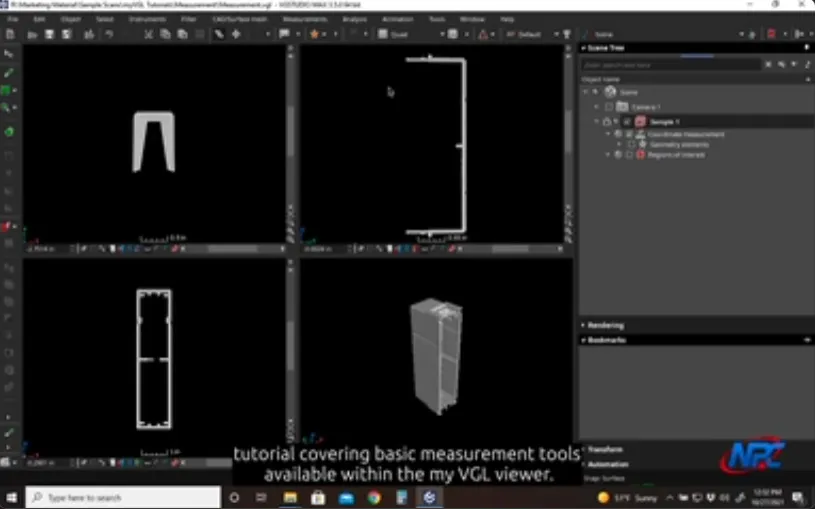
In this myVGL tutorial, you’ll see the main measurement tools in action. These are the ones you use to pull real-dimensional data from full 3D CT scans. Whether you’re inspecting parts, reverse-engineering, or checking that things match up to spec, these tools deliver what engineers actually need.
myVGL works deep inside the volume, right down to the voxels. You can measure distances, diameters, angles, and wall thickness. It’s especially useful for navigating odd shapes, hidden internal features, or assemblies where regular measuring tools just can’t reach.
The tutorial walks through how these tools slide right into your analysis workflow. You don’t have to bounce between programs. Just move from looking at the data to grabbing measurements, all in one place. It’s easy to check internal features, line things up with reference geometry, and repeat your process from part to part. This makes comparing results and maintaining quality a whole lot simpler.
Here’s what stands out with myVGL’s measurement tools:
- You get true volumetric accuracy
- You can check internal dimensions, voids, and interfaces
- The workflow is consistent and easy to repeat, which helps with both inspections and documentation
- It gives you the numbers you need to make real engineering decisions, whether you’re looking at tolerances or thinking about design tweaks
If you’re working in aerospace, medical devices, additive manufacturing, injection molding, or any field where measurements are crucial, this tutorial will guide you through the myVGL viewer measurement options. You can use it to check part conformity, spot deviations, or pull reference dimensions for later steps.
Check out the video and see how myVGL measurement tools transform complex CT scans into real, actionable insights.
Watch Full TutorialFor additional MyVGL Viewer tutorials, visit:
https://www.nelpretech.com/myvgl-tutorials